
The Polling HTTP source periodically polls an HTTP endpoint and emits the response as a record. This can be used to turn any HTTP API into a streaming data source.
Configuring the Connection
Polling HTTP sources can be created via the Web UI or directly in SQL.
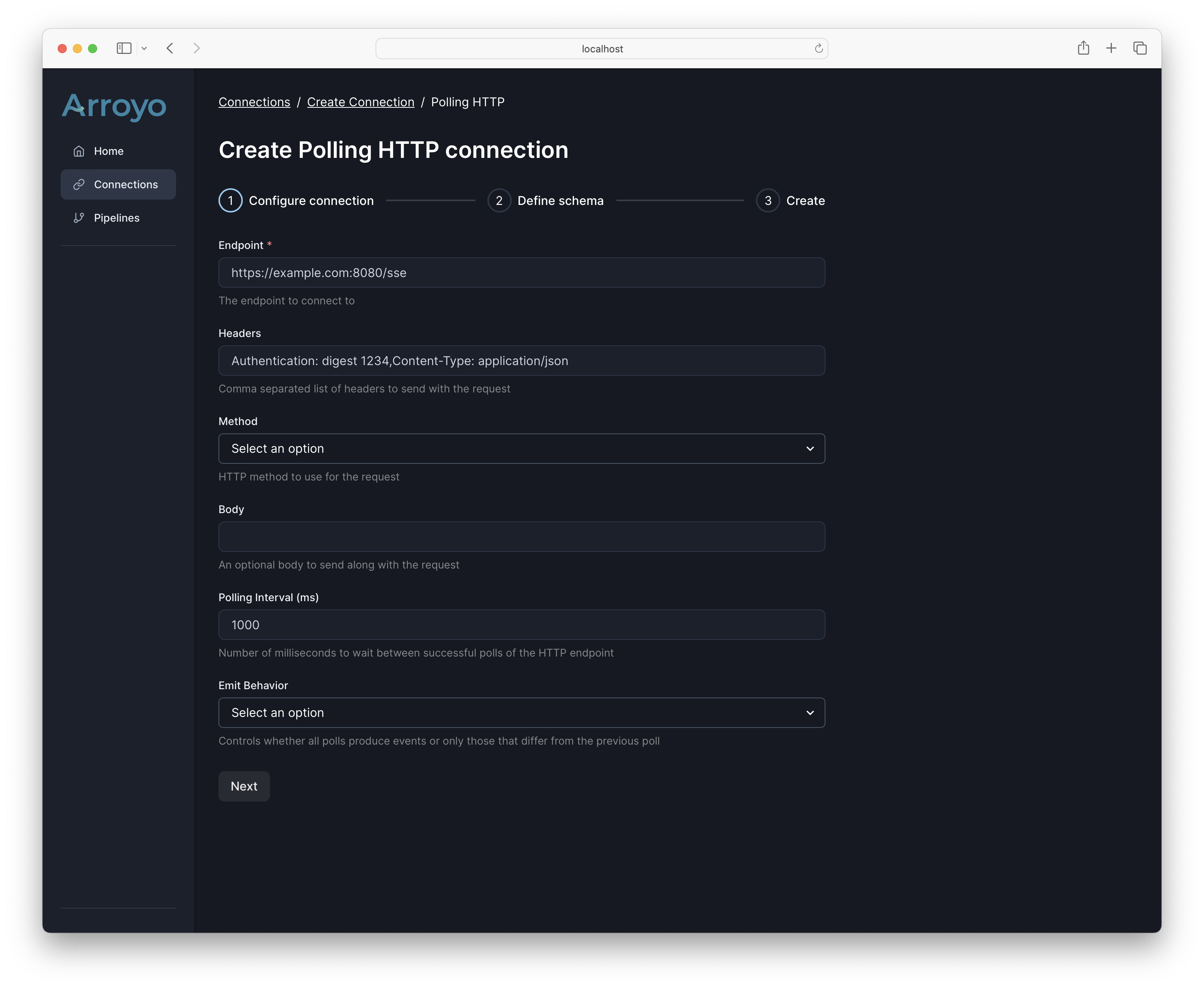
An polling http connection has several required and optional fields:
| Field | Description | Required | Example |
|---|---|---|---|
| endpoint | The endpoint for the HTTP server | Yes | https://api.example.com/v1/events |
| headers | A comma-separated list of colon separated key-value pairs of headers that will be sent to the server | No | Content-Type:application/json,Authorization: Bearer mytoken |
| method | The HTTP method to use when polling the endpoint | No | GET |
| body | The body to send with the request | No | {"foo": "bar"} |
| poll_interval_ms | The interval at which to poll the endpoint, in milliseconds | No | 5000 |
| emit_behavior | Controls when records are emitted; can be all or changed |
No | changed |
For example, in SQL:
CREATE TABLE prs (
    value TEXT
) WITH (
    connector = 'polling_http',
    endpoint = 'https://api.github.com/repos/ArroyoSystems/arroyo/pulls?per_page=1&state=all',
    poll_interval_ms = 5000,
    emit_behavior = 'changed',
    headers = 'User-Agent:arroyo/0.6',
    format = 'json',
    'json.unstructured' = true
);