Arroyo provides sources and sinks for Amazon Kinesis for reading and writing data from Kinesis streams. Kinesis’s real-time data streaming capabilities make it a great fit for stream processing applications like Arroyo.
Configuring the Connection
Kinesis connections can be created via the Web UI or via SQL.
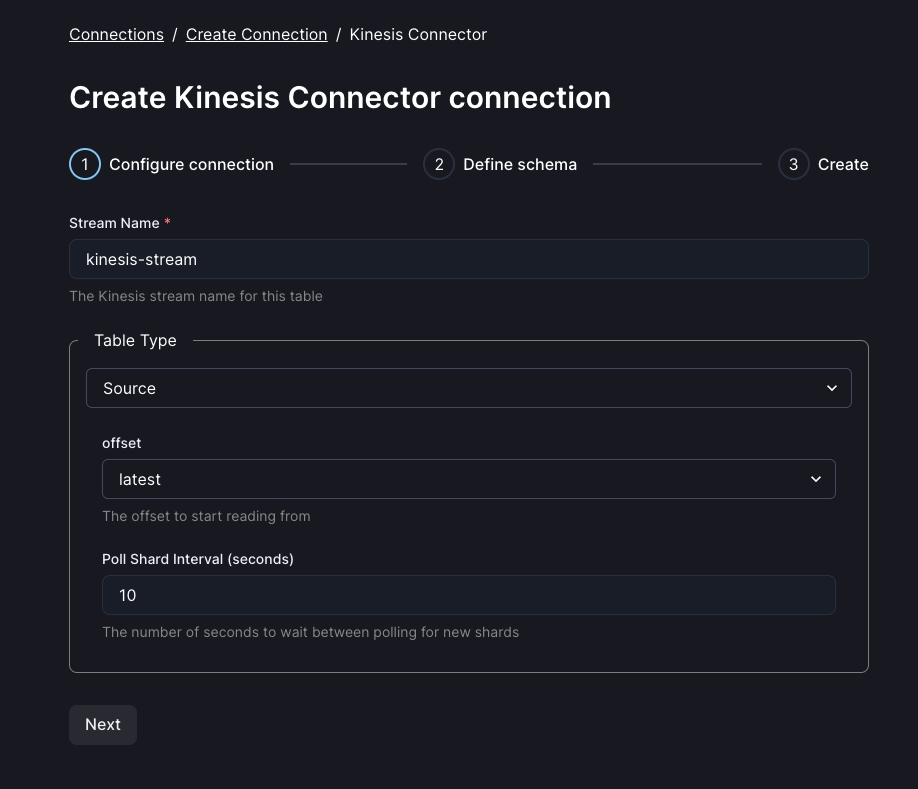
A Kinesis connection has several required and optional fields:
| Field | Description | Default Value | Example |
|---|---|---|---|
| stream_name | The Kinesis stream name for this table | Must be specified | my_stream |
| source.offset | The offset to start reading from (either ‘earliest’ or ‘latest’) | latest |
latest |
| sink.max_records_per_batch | The number of records to batch together before writing to Kinesis | 500 |
100 |
| sink.max_bytes_per_batch | The maximum size of a batch of records to write to Kinesis | 4500000 |
1000000 |
| sink.flush_interval_millis | The number of milliseconds to wait before flushing a batch of records to Kinesis | 1000 |
1000 |
Kinesis Sources
Kinesis sources can be created via the Web UI, the API, or directly in SQL. Kinesis sources implement exactly-once semantics by storing the last-read sequence number in Arroyo’s state. To query from Kinesis using SQL, use a CREATE TABLE statement like
CREATE TABLE orders (
  customer_id INT,
  order_id INT
) WITH (
  connector = 'kinesis',
  stream_name = 'my_stream',
  type = 'source',
  format = 'json',
  'source.offset' = 'latest'
);
Kinesis Sinks
Kinesis sinks can be created via the Web UI, the API, or directly in SQL. To write to Kinesis from SQL, create a table with a CREATE TABLE statement like
CREATE TABLE orders_sink (
  customer_id INT,
  order_id INT
) WITH (
  connector = 'kinesis',
  stream_name = 'my_sink_stream',
  type = 'sink',
  format = 'json',
  'sink.max_records_per_batch' = 100,
  'sink.max_bytes_per_batch' = 5000000,
  'sink.flush_interval_millis' = 1000
);